Safe to spend today on iPhone: how Flowjar works out your daily number
Flowjar takes your balance, sets aside savings and bills due before payday, and splits the rest over the days left. Here is how the Safe to spend number works.
Short answer
The big number on Flowjar's Today screen is Safe to spend today. Flowjar starts from your balance at the start of the day, takes out the money in your savings and goal jars and every unpaid bill due before payday, then divides what is left by the days until payday. Whatever you spend today comes off that daily amount. It updates the moment you add an entry, on your iPhone, with no bank login.
A bank balance answers the wrong question. It tells you what is in the account, not how much of it is already promised to rent, the phone bill and next month's savings. Flowjar answers the question you actually ask at the till: can I spend this today and still be fine until payday?
The formula, step by step
Flowjar shows its working. Open How Flowjar works from Today or from Settings and you see the same four lines filled in with your own numbers:
| Step | What it means |
|---|---|
| Balance at the start of today | Your current balance, with anything you spent today added back. |
| − Set aside in savings jars | Money in jars of type Savings or Goal. Bills and Spending jars are not taken out. |
| − Bills due before payday | Every unpaid bill due before your next payday, including overdue ones. |
| = Free until payday | What you can use for everyday spending until you are paid again. |
Then Free until payday is divided by Days until payday to give the Daily amount, and Daily amount minus Spent today is Safe to spend today.
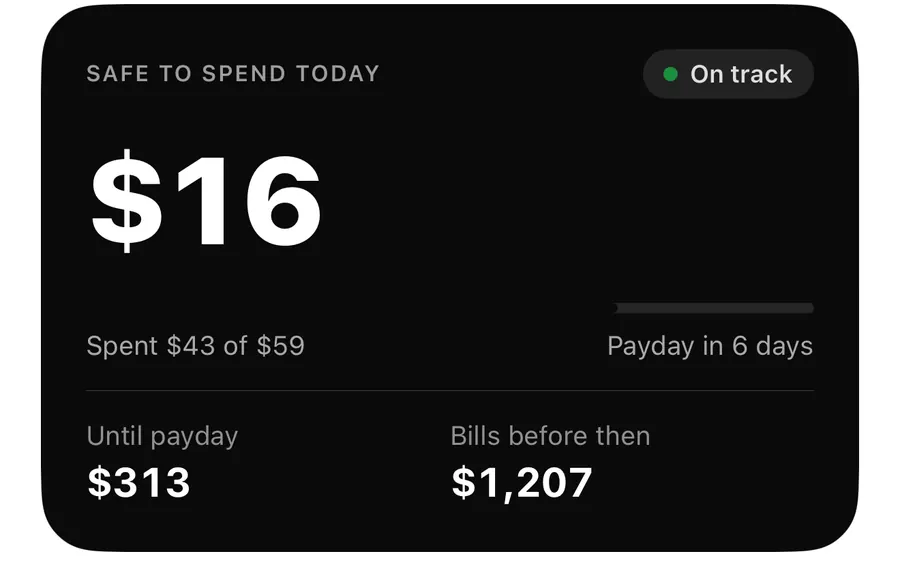
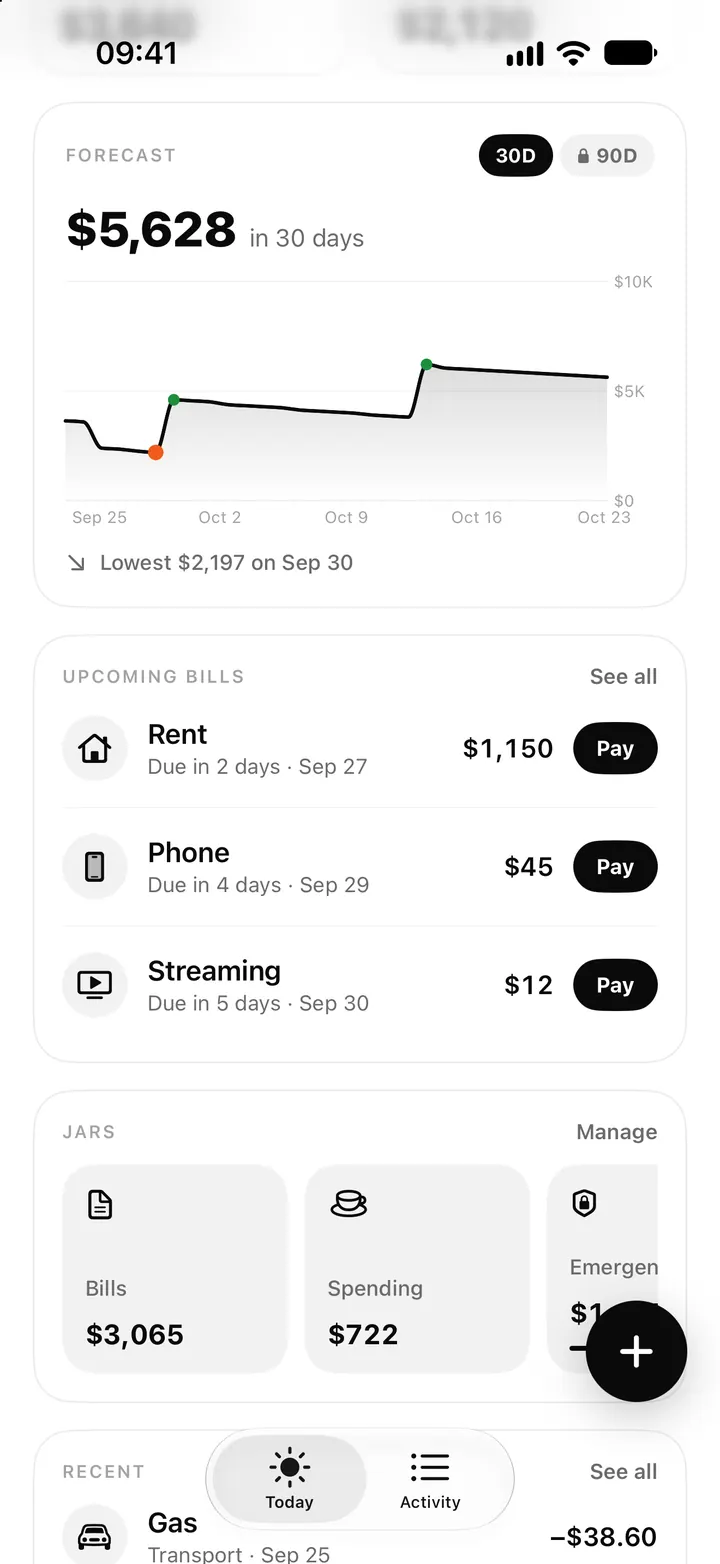
Take the sample plan in the screenshots. Alex has a balance of $3,640 after spending $43 today, so the day started at $3,683. Savings and goal jars hold $2,120, and bills due before payday add up to $1,207. That leaves $356 free for 6 days, about $59 a day. With $43 already spent, $16 is safe to spend for the rest of today.
Reading the Today card
Under the number, Flowjar adds a few lines so you can see why it is what it is:
- Spent X of Y is what you have spent today against today's daily amount.
- Payday in N days (or Payday tomorrow) counts down to your next payday.
- Until payday is the free money left for the rest of this pay period after today's spending.
- Bills before then is the total of unpaid bills due before payday.
Below the card, the Balance and Set aside tiles show the two numbers the calculation starts from. If you want to check the bills that make up Bills before then, the bills tracker lists them under Before payday.
Use Safe to spend during the day
- Open Today and read Safe to spend today before you buy something.
- After you pay, tap + and add the expense with its amount and category.
- Watch the number drop and Spent X of Y go up.
- When a bill is paid, tap Pay next to it so it leaves Bills before then.
- On payday, add your paycheck as income so the next pay period starts from the right balance.
What the status line tells you
Flowjar doesn't hide a bad day. The small badge on the card changes with your numbers:
- On track means you are within today's amount.
- Over today's amount means you have spent more than the daily amount today. The number goes below zero rather than pretending everything is fine.
- Bills need more than you have means the bills due before payday, plus what you set aside, are more than your balance. That is the moment to move money out of a savings jar or move a bill.
It resets every day, and unspent money rolls forward
Each morning Flowjar divides what is still free by the days that are left. If you spend less than the daily amount today, the leftover stays in Free until payday, and tomorrow's number is a little higher. If you overspend, the rest of the pay period gets a little less each day. No manual carry-over is needed.
Because the number only knows what you tell it, it is as good as your entries. Spending you haven't added, a bill you forgot to enter or a payday that moved will all make it wrong. The first steps in the setup post cover what to enter so the number starts right, and quick add makes logging fast enough to keep it right.
Where else you see it
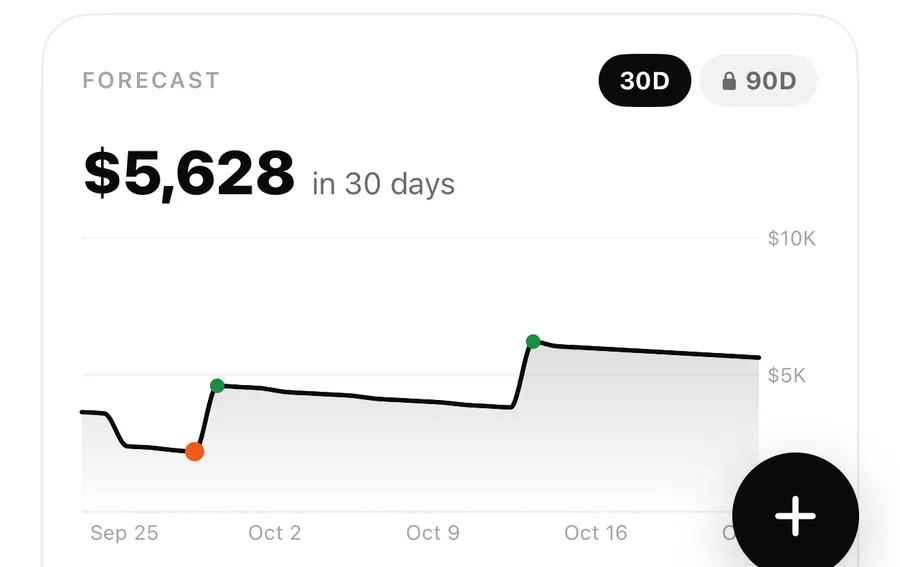
You don't have to open the app to check. The same number appears in the Safe to spend widget on the Home Screen and Lock Screen, in an optional Live Activity, and when you ask Siri How much can I spend today in Flowjar. See widgets and Live Activity and Siri and Shortcuts.
FAQ
Why is my Safe to spend number negative?
Either you have spent more than today's daily amount, or the bills due before payday and your savings jars add up to more than your balance. The status line tells you which one.
Does Flowjar connect to my bank to get my balance?
No. You enter a starting balance once, and Flowjar keeps it up to date from the income and expenses you add. Nothing is linked to a bank.
What happens if payday is today or tomorrow?
Flowjar always divides by at least one day, so the number stays meaningful on the last day of a pay period.
Do my bills jar and spending jar lower the number?
No. Only Savings and Goal jars are set aside. Bills are already taken out by date, and spending money is what Safe to spend is for.
Download Flowjar and see what is safe to spend before your next coffee.
Keep reading
Cash flow forecast on iPhone: how Flowjar projects 30 and 90 days
Flowjar projects your balance day by day from paydays, bills and your usual spending. See how the 30 and 90-day forecast works and how to read the lowest point.
Read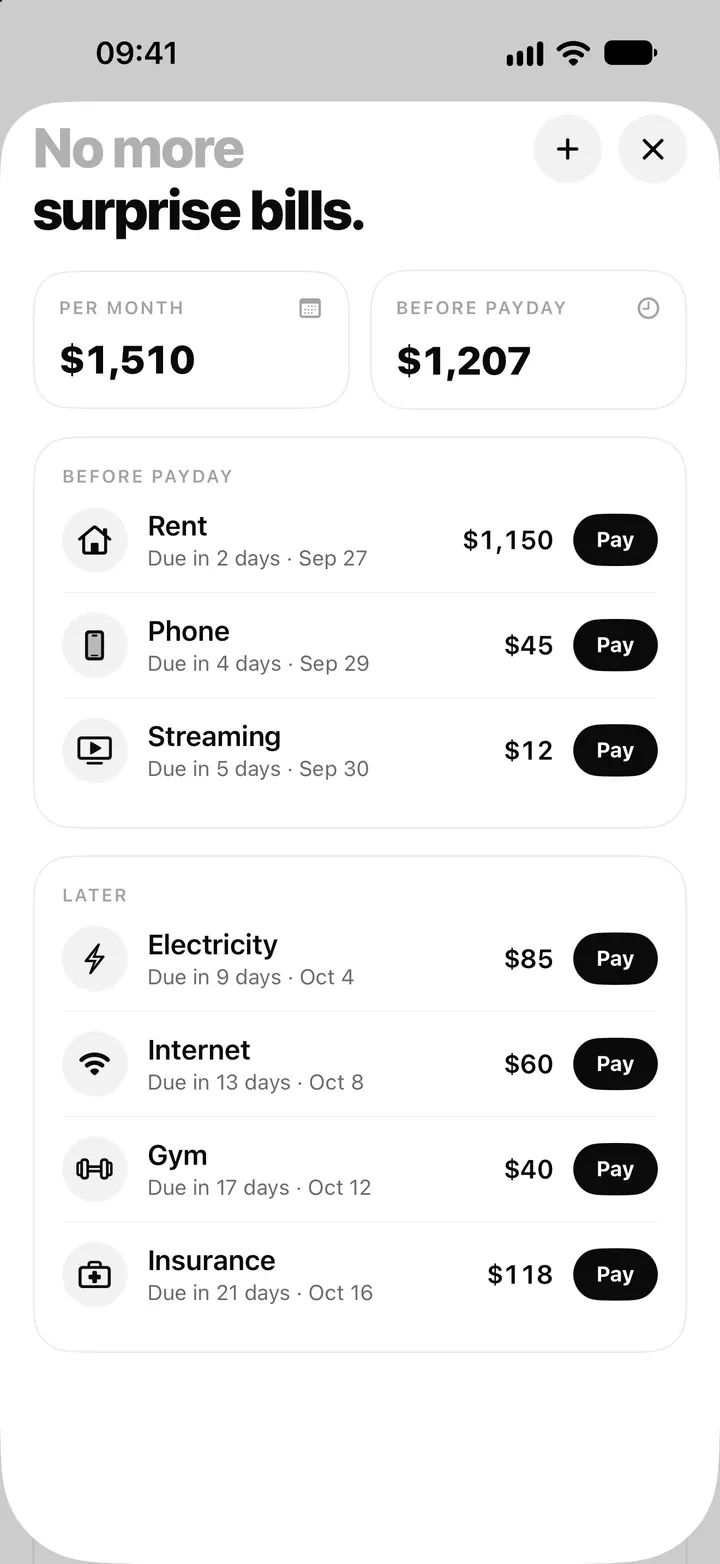
Bill tracker on iPhone: add bills, see what's due and tap Pay in Flowjar
Flowjar lists every bill by due date, before and after payday, and logs a payment with one tap on Pay, with Undo. Here is how the Flowjar bills tracker works.
Read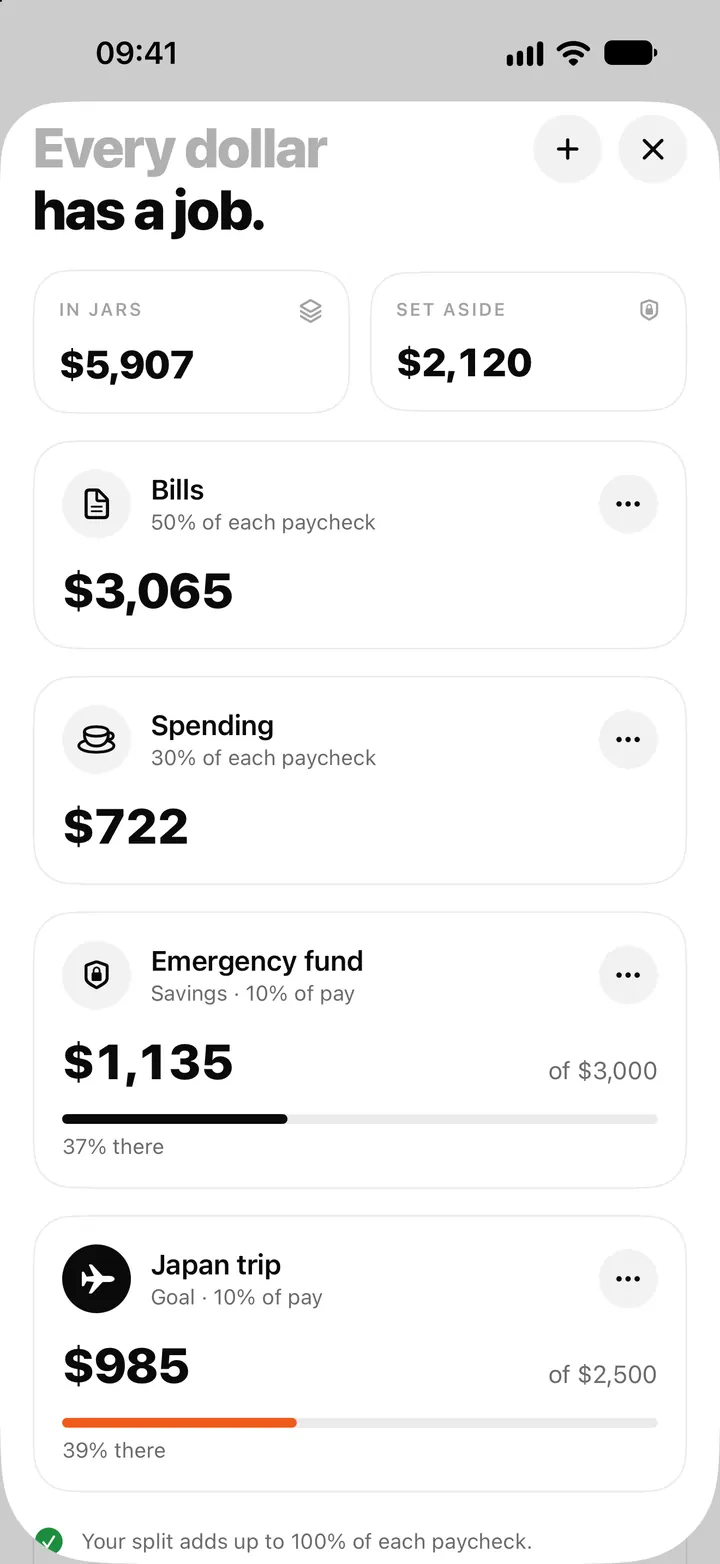
Money jars in Flowjar: split each paycheck into bills, spending and savings
Flowjar splits each paycheck across jars for bills, spending, savings and goals. Learn the four jar types, how shares work and what each does to Safe to spend.
ReadWhat does safe to spend mean? How to know what you can spend today
Learn how safe to spend differs from your balance, how upcoming bills and payday shape the estimate, and how Flowjar helps you plan.
Read guide