Flowjar with Siri, Shortcuts and Control Center: log spending hands-free
Ask Siri to log an expense without opening Flowjar, check what is safe to spend, and put Quick add or Scan receipt in Control Center or on the Action button.
Short answer
Flowjar works with Siri and the Shortcuts app with no setup. Say Log an expense in Flowjar, then something like lunch 12.50, and Siri adds it without opening the app and tells you what is left for today. Ask How much can I spend today in Flowjar for today's number. On iOS 18 and later you can also put Quick add or Scan receipt in Control Center, on the Lock Screen or on the Action button.
A budget only works if the spending gets logged, and the best moment to log it is right after you pay. Flowjar gives you several ways to do that without hunting for the app: your voice, a control, a button on the side of the phone, or a double tap on its back.
What you can say to Siri
These phrases work as soon as Flowjar is installed and set up:
| Say | What happens |
|---|---|
| Log an expense in Flowjar or Log spending in Flowjar | Siri asks What did you spend? and adds it without opening the app |
| How much can I spend today in Flowjar or Flowjar safe to spend | Siri tells you today's amount and what is free until payday |
| Quick add in Flowjar or Add an expense in Flowjar | Opens Flowjar on the quick add box |
| Scan a receipt in Flowjar or Flowjar scan receipt | Opens Flowjar on the receipt camera |
Log an expense without opening the app
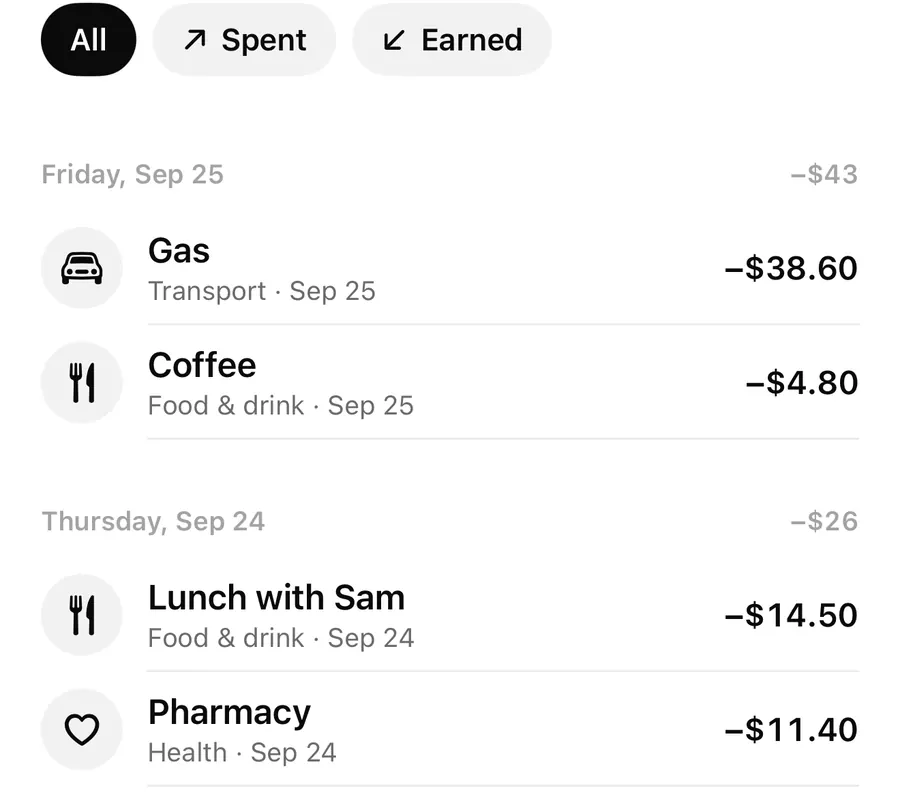
Answer Siri's question the way you'd type it in quick add: coffee 4.50, groceries 62, taxi 18. Flowjar reads the amount, guesses the category from the words you use, adds the expense from your Spending jar, and replies with something like Added $4.50 for coffee. You can still spend $11 today. If you have gone past today's amount, Siri says how far over you are instead.
If you forget the amount, Siri asks for one. If you haven't finished setting up Flowjar, Siri asks you to open the app first. Because it adds money data, this action only runs when your iPhone is unlocked.
The category guess is simple keyword matching, the same as quick add. If it picks the wrong one, change it later in Activity.
Ask what is safe to spend
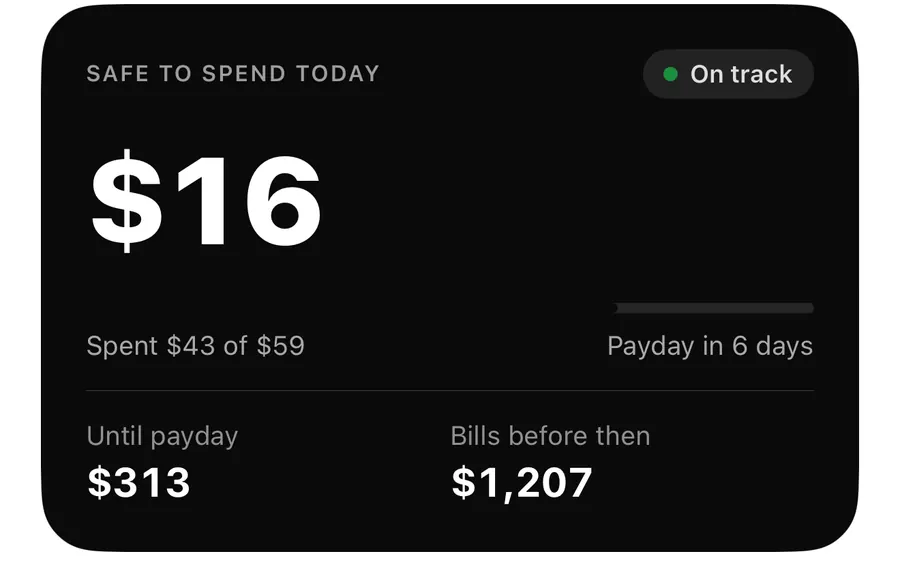
How much can I spend today in Flowjar gets an answer like You can spend $16 today. $313 is free until payday in 6 days. It uses the same calculation as the Today screen, explained in Safe to spend.
Shortcuts, Spotlight and the Action button
The same four actions appear in the Shortcuts app under Flowjar: Quick add expense, Log an expense, Safe to spend today and Scan a receipt. You can run them on their own or use them in your own shortcuts and automations. iPhone Spotlight can also show these shortcuts when you search for Flowjar. Your entries themselves are not indexed in Spotlight; use search inside Flowjar to find them.
Controls for Control Center, Lock Screen and Action button
On iOS 18 and later, Flowjar adds two controls:
- Quick add: opens the quick add box, ready for coffee 4.50.
- Scan receipt: opens the camera to read the total from a receipt.
Add them to Control Center or to the Lock Screen's control slots, or pick one for the Action button on iPhones that have it. Each control opens Flowjar on the right screen.
Set up Back Tap for quick add
- Open the Shortcuts app, tap + and add Flowjar's Quick add expense action. Save the shortcut.
- Open iPhone Settings and go to Accessibility > Touch > Back Tap.
- Choose Double Tap.
- Pick the shortcut you just made.
- Double-tap the back of your iPhone: Flowjar opens on quick add.
Back Tap is an iPhone accessibility setting rather than a Flowjar feature, so Flowjar only shows you how. You'll find the same guide in Flowjar under Settings > On your iPhone > Back Tap, widgets and Siri, and in setup.
Face ID lock and Siri
If Lock with Face ID is on, Log an expense still adds the entry but only replies Added to Flowjar., so Siri doesn't read your numbers out loud. Siri actions that use Flowjar data also need your iPhone to be unlocked. More on this in privacy and Face ID.
FAQ
Do I need to set anything up for Siri?
No. The phrases work as soon as Flowjar is installed and your plan is set up. You can also see them in the Shortcuts app under Flowjar.
Does Log an expense open the app?
No. It adds the expense in the background and Siri replies with what is left for today. Quick add and Scan a receipt do open the app.
Why does Siri only say Added to Flowjar?
Lock with Face ID is on, so Siri doesn't read out your remaining amount.
Can I put Flowjar on the Action button?
Yes, on iOS 18 and later. Choose a control for the Action button in iPhone Settings and pick Flowjar's Quick add or Scan receipt.
Download Flowjar and log your next coffee with one sentence.
Keep reading
Quick add in Flowjar: log an expense in one line, like coffee 4.50
Type coffee 4.50 or +2000 salary into Flowjar quick add and it reads the amount, guesses the category from keywords and adds the entry in one tap on iPhone.
ReadFlowjar widgets and Live Activity: Safe to spend on your Lock Screen
Put today's Safe to spend amount on the Home Screen, Lock Screen and Dynamic Island with Flowjar's widget and Live Activity, plus Add and Scan buttons.
ReadScan a receipt in Flowjar: the total is read on your iPhone
Flowjar reads a receipt's total, shop name and recent date with on-device text recognition, fills in the expense for you to check, and doesn't save the photo.
ReadBuild a Habit of Recording Spending Right After You Buy
A two-minute routine to record expenses, check categories, keep receipts, and update Flowjar without making money tracking overwhelming.
Read guide