Money jars in Flowjar: split each paycheck into bills, spending and savings
Flowjar splits each paycheck across jars for bills, spending, savings and goals. Learn the four jar types, how shares work and what each does to Safe to spend.
Short answer
Flowjar gives every part of your paycheck a job by sharing it across jars. There are four jar types: Bills, Spending, Savings and Goal. Each jar has a Share of each paycheck, set in 5% steps, and the Jars screen tells you whether your split adds up to 100%. Only money in Savings and Goal jars is kept out of Safe to spend.
Envelope budgeting works because each dollar has one job before you spend it. Flowjar keeps that idea and drops the paperwork: jars are labels on your balance, stored on your iPhone, and they fill from the income you log. This post covers what the jar types do, how the split works and how to set up your own.
The four jar types
Every jar has a Type, and the type decides how the jar behaves. The jar editor shows a one-line explanation under the type you pick:
| Type | In-app description | Kept out of Safe to spend? |
|---|---|---|
| Bills | Covers rent, utilities and subscriptions. Bill payments come out of this jar. | No |
| Spending | Everyday money. Expenses come out of this jar. | No |
| Savings | Set aside and kept out of Safe to spend. | Yes |
| Goal | Saving toward something specific. Kept out of Safe to spend. | Yes |
Why aren't Bills and Spending jars taken out of Safe to spend? Because bills are already handled by date: every unpaid bill due before payday is subtracted on its own. Spending money is exactly what the daily number is for. Taking those jars out as well would count the same dollars twice. The Safe to spend post walks through the full formula.
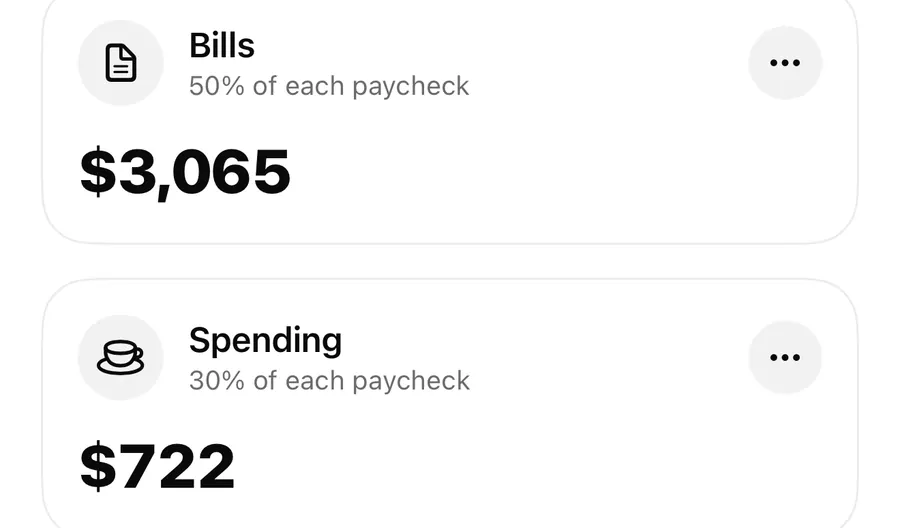
The types also decide where money leaves from. When you tap Pay on a bill, the payment comes out of your Bills jar. Expenses you add come out of your Spending jar by default, and you can pick another jar under Paid from jar.
The jars you start with
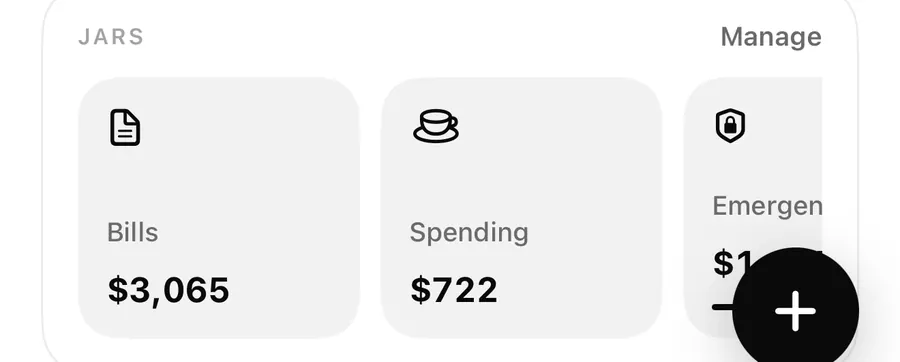
You don't build jars from scratch. Finishing setup creates four: Bills, Spending, Savings and Goals, one of each type. Their shares come from the split you choose during setup, on the screen How should we split each paycheck?:
| Preset | Bills | Spending | Savings | Goals |
|---|---|---|---|---|
| 50 / 30 / 20 split (Recommended) | 50% | 30% | 10% | 10% |
| Pay yourself first | 45% | 25% | 20% | 10% |
| Keep it light | 55% | 35% | 10% | 0% |
A preset is just a starting point. After setup, each jar keeps its own share, and you change it in that jar's editor. The Split option under Your plan in Settings doesn't rewrite your jars, so if you want a different split later, edit the jars themselves. The setup post covers the rest of onboarding.
Share of each paycheck
Each jar's share is the percentage of a paycheck it gets when you log income with Fill my jars on. Shares go from 0% to 100% in 5% steps.
At the bottom of the Jars screen, a short note checks your total:
- Your split adds up to 100% of each paycheck. Every dollar of income you split has a jar.
- Your split adds up to N%. Unassigned money stays in your balance. Anything not shared out stays in your balance with no jar, and it still counts toward Safe to spend.
While you edit a jar, the line under the stepper (Other jars use N% of each paycheck.) helps you land on 100%. Flowjar doesn't block a total above 100%, so watch that note: past 100%, a split would hand out more than the paycheck.
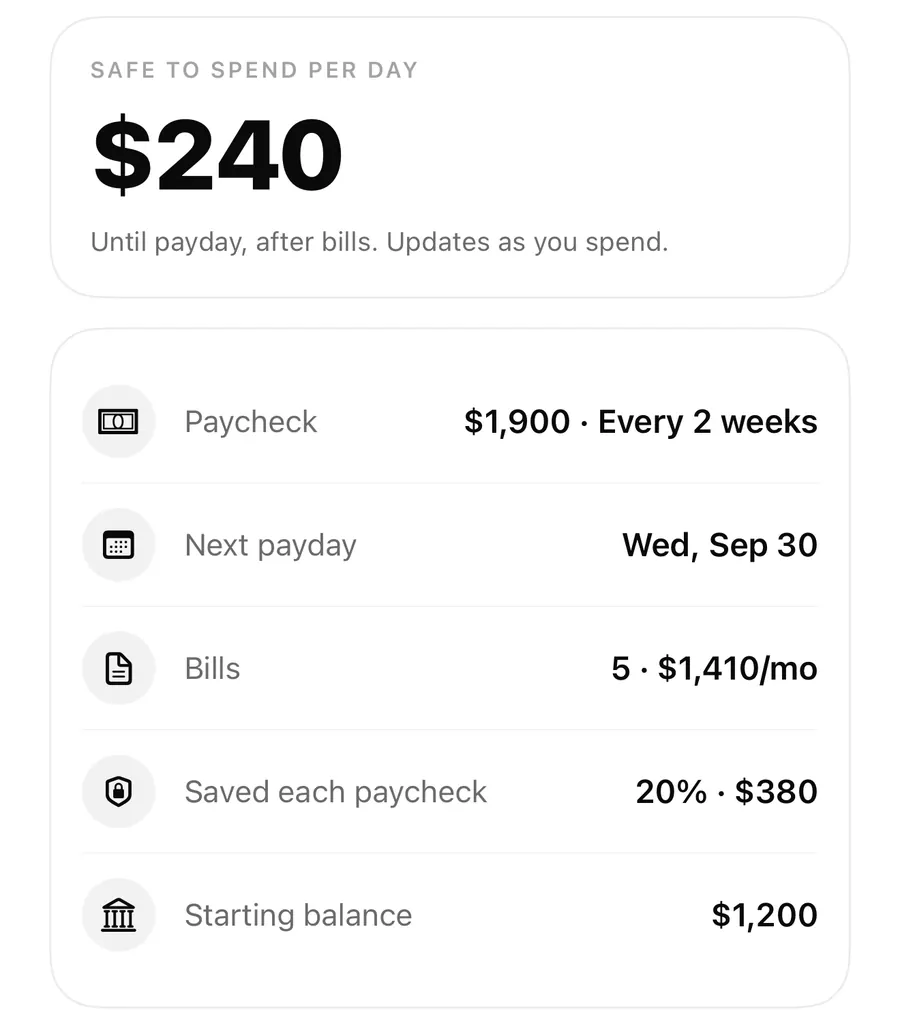
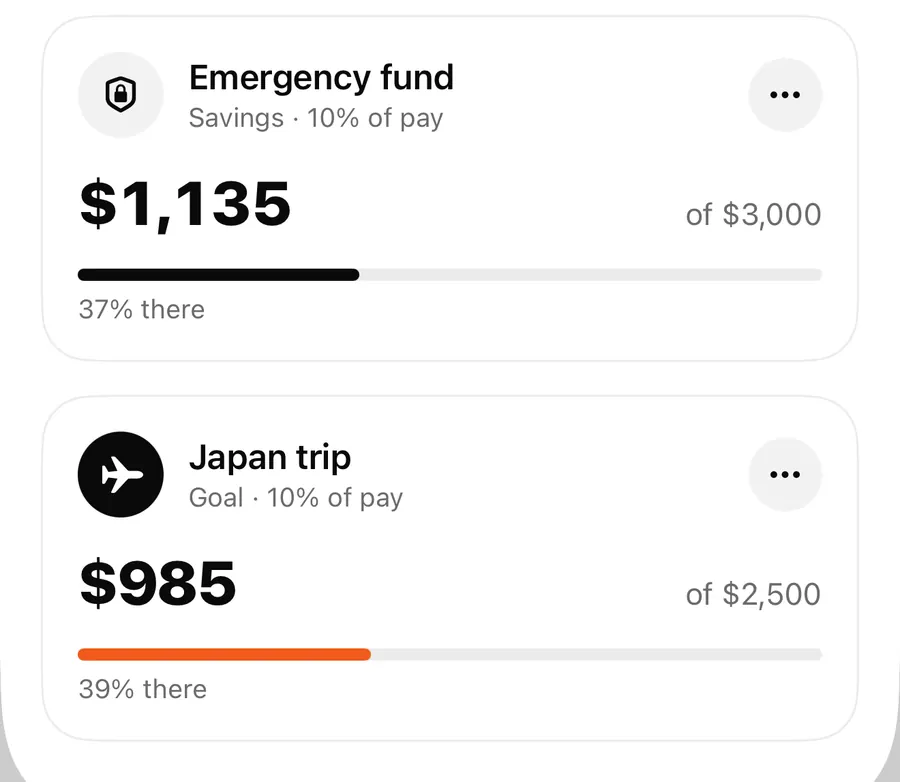
Here's the sample plan in the screenshots. Alex is paid $2,450 every two weeks and uses the 50 / 30 / 20 shares, with the two savings jars renamed Emergency fund and Japan trip. A paycheck split with Fill my jars puts $1,225 in Bills, $735 in Spending, and $245 each in the two savings jars. $490 of that is set aside, so it comes off Safe to spend.
Set up or change a jar
Edit a jar's share and type
- Open Jars from the button at the top of Today, or tap Manage on the Jars row.
- Tap ⋯ on a jar and choose Edit jar, or tap + for a New jar.
- Type a Jar name and choose its Type.
- Pick an Icon from the 16 on offer.
- Use the stepper to set Share of each paycheck, checking the Other jars use line.
- Optionally add a Target (optional) amount, then tap Save.
A new jar starts as a Savings jar with a 0% share, so it gets nothing until you give it a share or move money into it by hand. A target turns the card into a progress bar with N% there; the savings goals post covers that.
A few things worth knowing
- Keep one Spending jar and one Bills jar. Quick add takes expenses out of your Spending jar, and Pay takes bills out of your Bills jar. If you change your only Spending jar to another type, quick-add expenses won't come out of any jar.
- The split only runs when you log income. Flowjar never adds your paycheck on its own. On payday, add it as income with Fill my jars on; see Fill my jars on payday.
- You can move money by hand. Tap a jar to Add to jar or Take out. See moving money between jars.
- Deleting a jar sends its money back to your balance. Your entries stay.
FAQ
Do my jars have to add up to 100%?
No. If they add up to less, the rest of each paycheck stays in your balance with no jar. The note at the bottom of the Jars screen tells you the total.
Which jars lower Safe to spend?
Only Savings and Goal jars. Their total is shown as Set aside and is subtracted before your daily amount is worked out.
Can I change the split I picked during setup?
Yes. Edit each jar's Share of each paycheck in the jar editor. Changing Split in Settings doesn't change existing jars.
Are jars separate bank accounts?
No. A jar is a label on part of your balance in Flowjar. Moving money between jars never changes your balance. More answers are in the FAQ.
Download Flowjar and give every dollar of your next paycheck a job.
Keep reading
Fill my jars: log your paycheck and split it on payday in Flowjar
Flowjar never logs your paycheck by itself. On payday, add it as income with Fill my jars on and it is shared across your jars. Here is how, plus side income.
ReadMove money between jars in Flowjar: Add to jar, Take out and Paid from jar
Move money in or out of a Flowjar jar, pick which jar an expense is paid from, and see what each move does to your balance, Set aside and Safe to spend.
ReadSavings goals in Flowjar: Goal and Savings jars with a target
Set a target on a Flowjar Savings or Goal jar to track progress as N% there, keep that money out of Safe to spend, and estimate what to put in each month.
ReadWhat are money jars? How to divide each payday
Learn how money jars work for bills, spending and goals, and how Flowjar helps you track progress without making a plan too complex.
Read guide