Cash flow forecast on iPhone: how Flowjar projects 30 and 90 days
Flowjar projects your balance day by day from paydays, bills and your usual spending. See how the 30 and 90-day forecast works and how to read the lowest point.
Short answer
Flowjar's Forecast card on Today draws your balance day by day for the next 30 days, or 90 days with Flowjar Pro. It starts from today's balance, adds your paycheck on each payday, takes out each unpaid bill on its due date and subtracts an estimate of your everyday spending. It shows where the balance ends up and its Lowest point in that window, so you can see a tight week before it arrives.
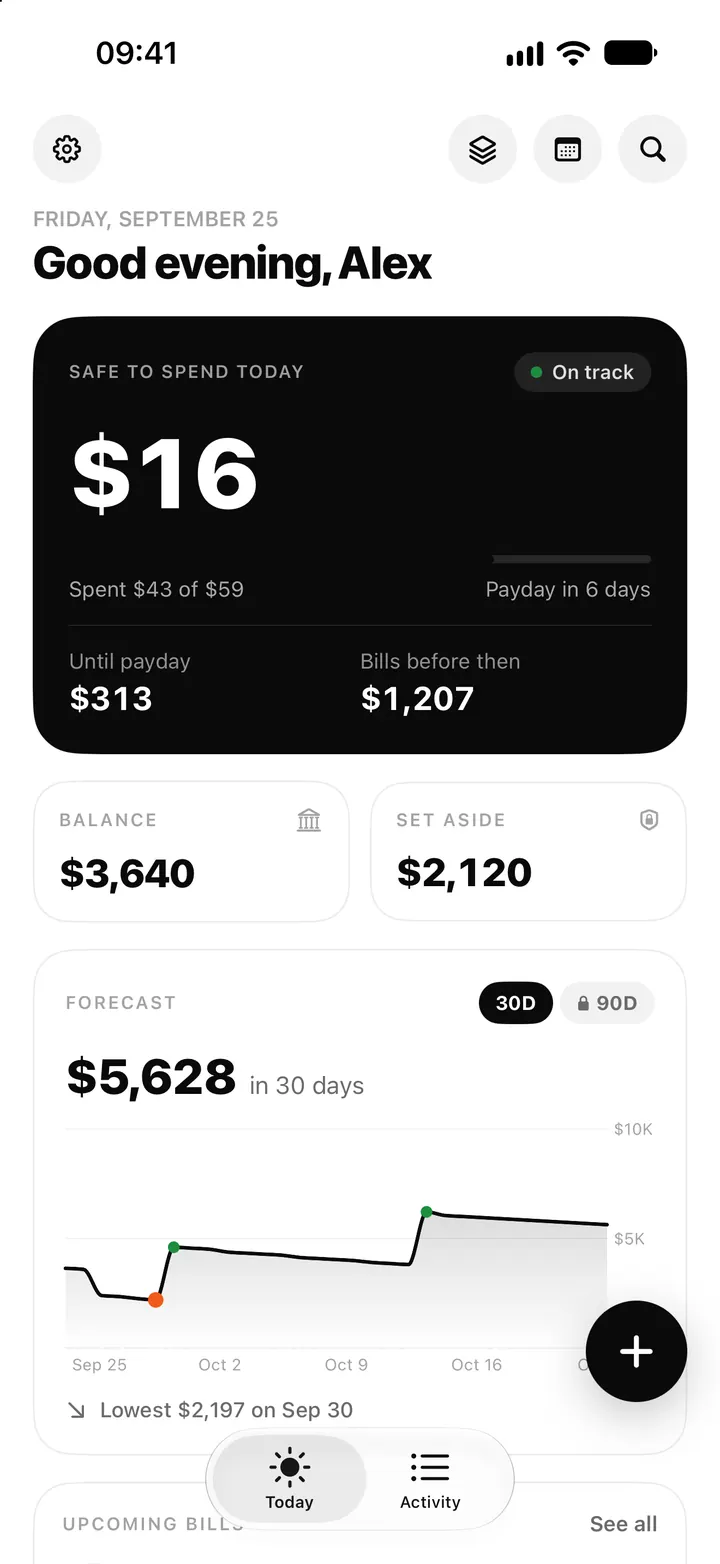
Safe to spend tells you about today. The forecast tells you about the weeks after. Flowjar builds it from the same plan, your paydays and bills, so you don't have to fill in a spreadsheet to see whether rent and a car repair land in the same week.
What the Forecast card shows
Scroll down on Today to the Forecast card. It has three parts:
- The end balance, for example $5,628 in 30 days: where your balance is projected to be at the end of the window.
- The chart, one point per day. Green dots mark paydays. A dashed line marks zero, so you can see if the line goes below it.
- Lowest X on date: the lowest projected balance anywhere in the window and the day it happens. It is also marked on the chart. If it is below zero, the marker turns red and a warning icon appears.
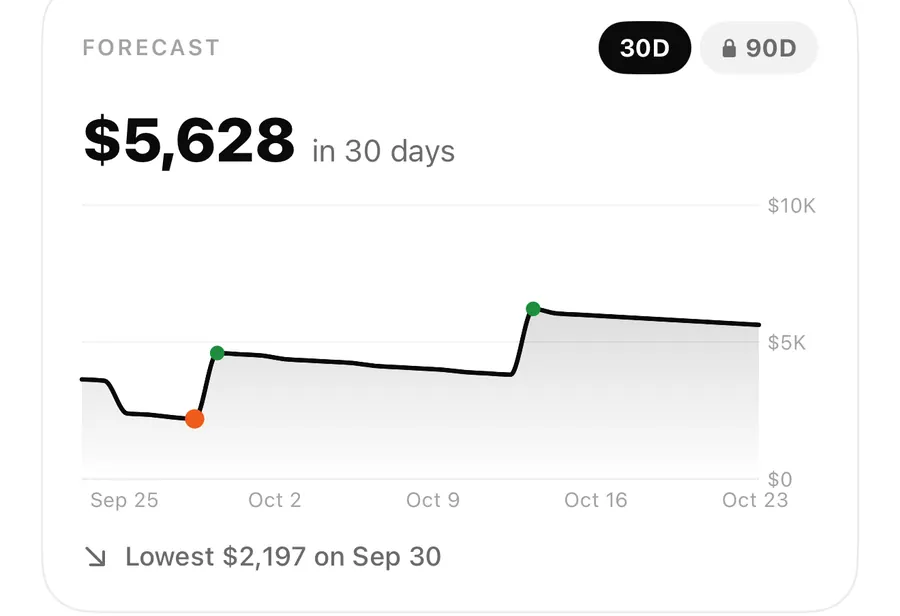
In the sample plan in the screenshots, Alex's balance falls as rent and other bills come due, reaches its lowest point of $2,197 on Sep 30, the day before payday, then jumps when the paycheck arrives. Thirty days out it is about $5,628.
How the forecast is calculated
The model is simple on purpose, so you can check it against your own sense of the month:
| Step | What Flowjar does |
|---|---|
| Start | Today's balance, minus what is left of today's estimated spending and any bills due today or overdue. |
| Each payday | Adds your paycheck amount on every payday in the window, based on how often you are paid and your next payday. |
| Each bill | Takes out every unpaid bill on its due date, repeating weekly, monthly or yearly as you set it. |
| Every day | Subtracts an estimated daily spend. |
The forecast tracks your whole balance. Moving money into a jar doesn't change it, because jars only earmark money that is still in your account.
Where the daily spend estimate comes from
For your first week, Flowjar has no history to go on, so it estimates from your plan: monthly income, minus monthly bills, minus the share of each paycheck that goes to your Savings and Goal jars, divided over an average month.
Once you have used Flowjar for at least 7 days, it switches to your real spending: the average of your everyday expenses over the last 30 days (or fewer, if you started more recently). Bill payments are left out of this average, because bills are already placed on their due dates.
That is why the forecast often shifts after the first week. If you log spending regularly, it reflects how you actually spend rather than how you planned to. Quick add helps keep that history complete.
30 days or 90 days
Tap 30D or 90D on the card to switch. The 30-day view is free. The 90-day view is part of Flowjar Pro; on the free plan 90D shows a lock and opens the Pro screen.
Ninety days helps when something bigger is coming: a yearly bill, a month with an extra payday, or a stretch where several bills cluster. The guide on when a 90-day forecast is useful goes into more detail.
Check your next 30 days
- Open Today and scroll to Forecast.
- Read Lowest X on date. That is the tightest day in the window.
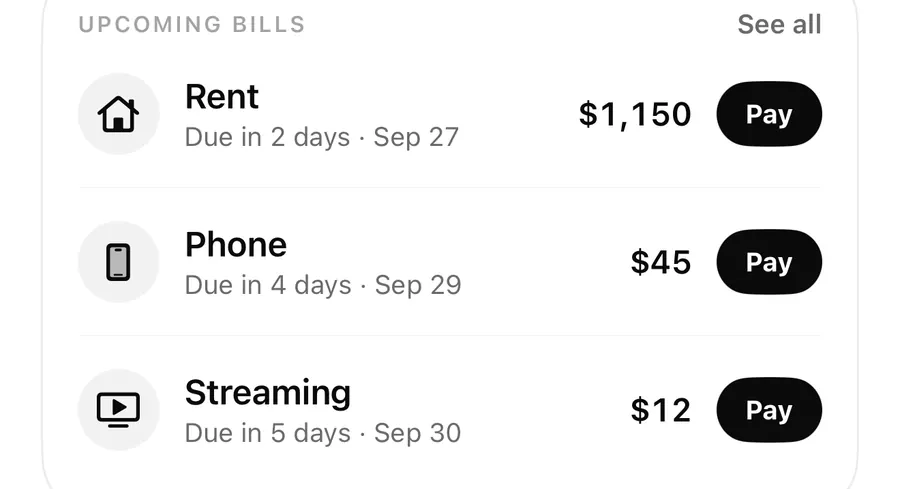
- Look at what is due just before it in Upcoming bills, or open the full list in Bills.
- If the lowest point is closer to zero than you like, plan for it: move money out of a jar, spend less that week or check whether a bill date is right.
- Check again after payday or after adding a new bill.
What the forecast doesn't know
The forecast only uses what is in your plan. A few things to keep in mind:
- One-off costs you haven't entered aren't in it. There is no separate list of planned one-off expenses.
- Entries dated in the future count in your balance as soon as you save them, not on their date. The chart starts lower rather than dipping on that day.
- Your paycheck is the same amount each payday, taken from Settings. If your pay varies, update the amount when it changes.
- Bills need the right amount and next due date. A wrong date moves the dip on the chart. The bills tracker post covers how to fix them.
FAQ
Is the Lowest point only before my next payday?
No. It is the lowest projected balance across the whole window you are viewing, 30 or 90 days. The guide on reading the lowest point explains how to use it.
Why did my forecast change after a week?
For your first 7 days, Flowjar estimates daily spending from your plan. After that it uses your real everyday spending from the last 30 days, which can be higher or lower.
Does moving money into a savings jar change the forecast?
No. Jars earmark money inside your balance, and the forecast tracks the whole balance. Only Safe to spend sets aside Savings and Goal jar money.
Do bill payments count toward the daily spend estimate?
No. Payments made with Pay on a bill are left out, because bills are already placed on their due dates.
Download Flowjar and see your next 30 days before they happen.
Keep reading
Safe to spend today on iPhone: how Flowjar works out your daily number
Flowjar takes your balance, sets aside savings and bills due before payday, and splits the rest over the days left. Here is how the Safe to spend number works.
Read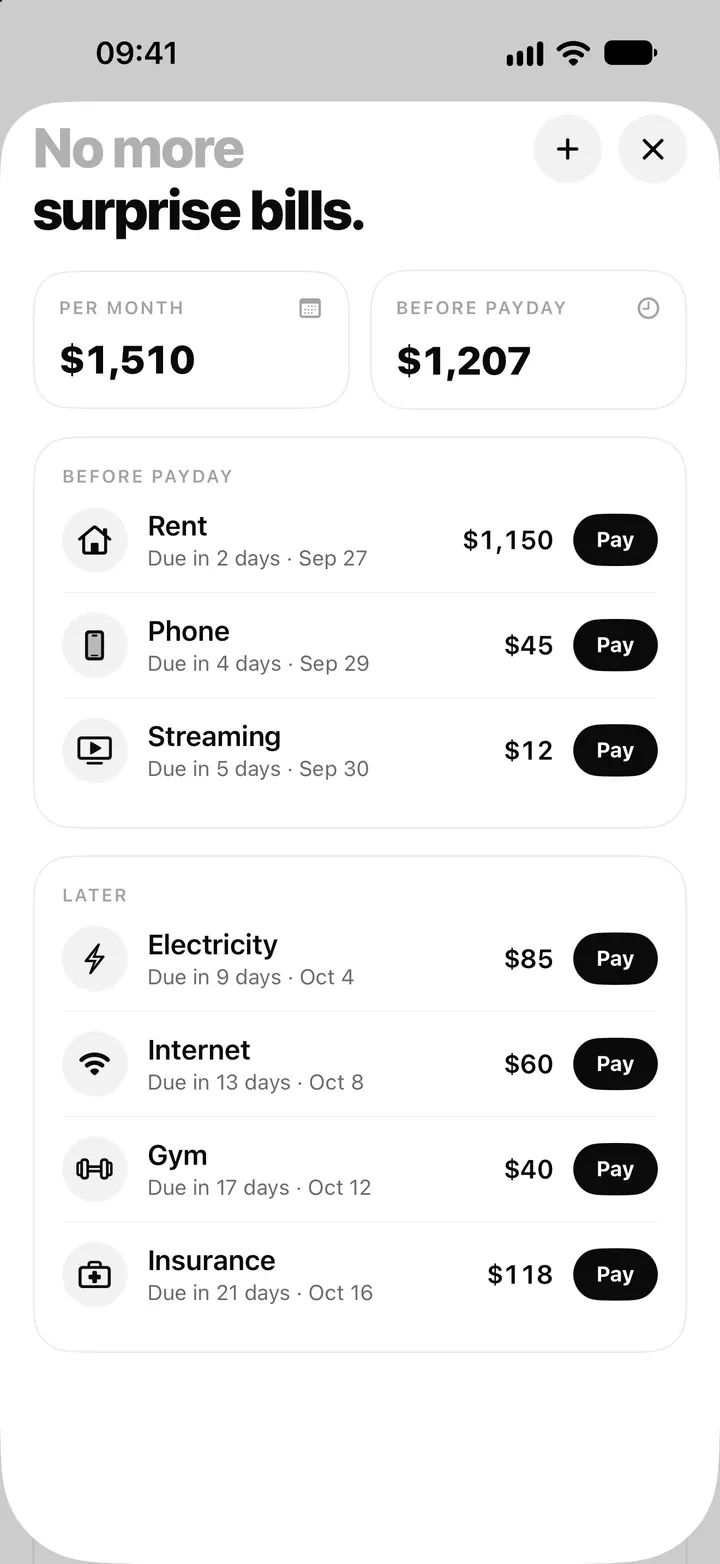
Bill tracker on iPhone: add bills, see what's due and tap Pay in Flowjar
Flowjar lists every bill by due date, before and after payday, and logs a payment with one tap on Pay, with Undo. Here is how the Flowjar bills tracker works.
Read
Fill my jars: log your paycheck and split it on payday in Flowjar
Flowjar never logs your paycheck by itself. On payday, add it as income with Fill my jars on and it is shared across your jars. Here is how, plus side income.
ReadHow does a 30-day cash-flow forecast work?
Learn how Flowjar adds income, subtracts bills and shows the lowest point across 30 or 90 days so you can prepare for a difficult week.
Read guide