Flowjar Activity: list, calendar and back-filling a missed day
Flowjar Activity shows every entry by month as a list or a calendar, with Earned, Spent and Net. Tap to edit, swipe to delete, or tap an empty day to fill it.
Short answer
The Activity tab in Flowjar shows every income and expense, month by month. Switch between List, Calendar and Stats at the top. The list groups entries by day with a month summary of Earned, Spent and Net; the calendar shows each day's total at a glance. Tap an entry to edit it, swipe to Delete it, and tap an empty past day in the calendar to add something you forgot.
Safe to spend tells you about today. Activity tells you what already happened, which is where you spot the forgotten coffee or the week that went off plan. Everything in Flowjar is entered by you, so Activity is also where you fix mistakes and fill gaps.
Pick a month
Under the headline Where it all went. there's a row of month chips, newest on the right. It goes back to the month of your first entry, always shows at least the last six months, and reaches back up to three years. Tap a month to load it. Future months don't appear; entries dated ahead show up in their month once that month arrives.
The mode you pick (List, Calendar or Stats) is remembered the next time you open the app. Stats has its own post: month stats and no-spend days.
List: every entry, grouped by day
In List mode, a summary card sits at the top:
- Earned: all income entries in the month.
- Spent: all expenses in the month, including bill payments made with Pay.
- Net: earned minus spent.
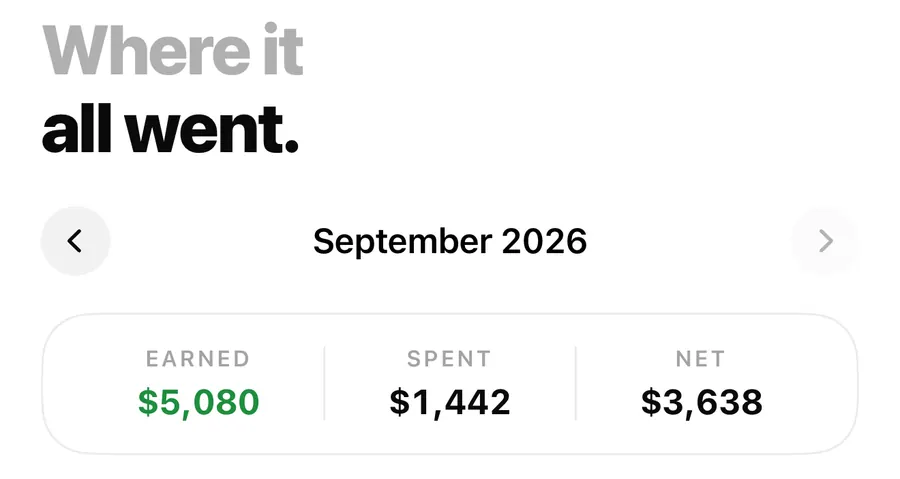
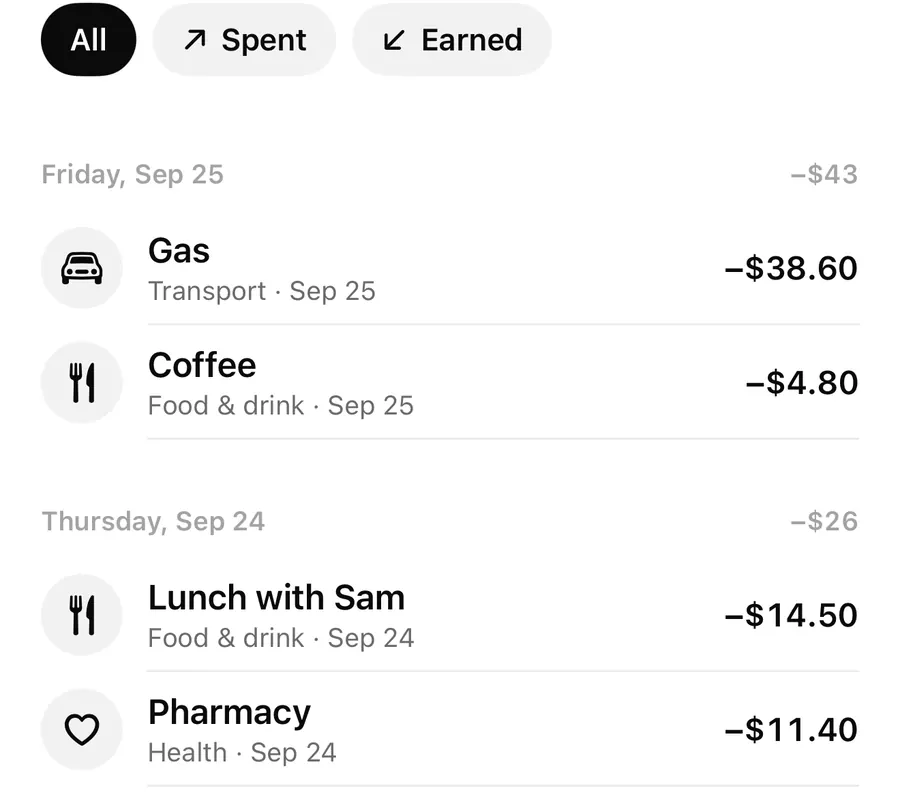
Below it, three chips filter the list: All, Spent and Earned. Entries are grouped by day, newest first, and each day header shows that day's net. Every row shows the note (or the category if there's no note), the category, the date and the amount.
Edit or delete an entry
- Tap an entry to open it in the editor. Change the amount, the Expense / Income type, category, note, date, or Paid from jar, then tap Save. Jar amounts follow the change.
- Swipe left and tap Delete to remove it. There's no trash and no undo, so a deleted entry is gone. If it was the latest payment of a bill, that due date becomes unpaid again so the bill reappears where it belongs.
Calendar: a month at a glance
Calendar mode lays the month out as a grid. At the top are two totals, Spent and Earned, which double as a filter: tap one to show only that side, and tap it again to show both.
Each day has a small tile:
- The icon is the category of that day's biggest entry, with a second card peeking out behind it when there's more than one entry.
- The tile gets darker the more you spent that day, compared with your biggest day of the month.
- A short amount under the date shows what went out (or what came in, on days with no spending).
- Today's date is highlighted in your accent color. Future days are blank.
Tap a day that has entries and the list below narrows to that day; tap it again to see the whole month.
Back-fill a day you missed
Everyone forgets to log something. In the calendar, a past day with nothing on it shows a +. Tap it and the entry editor opens with that day's date already set. Add the expense and it lands on the right day, with Safe to spend, jars and the forecast updated.
Back-fill a missed day
- Open Activity and choose Calendar.
- Pick the month in the month row if it isn't the current one.
- Tap the empty past day showing +.
- Enter the amount and category; the date is already set.
- Tap Add. The day's tile fills in.
If the day already has entries, tapping it filters the list instead. To add another entry to that day, use the round + button, open Add a note, and set Date in Details. The date can be any past day or up to 365 days ahead.
Back-filling a few days at once after a busy week is a normal part of using a manual budget. The guide to recovering from a week over plan has a calm way to do it.
FAQ
How far back can I see my activity?
The month row goes back to your first entry, up to three years. Older entries still count toward your balance.
Can I undo a deleted entry?
No. Deletes are permanent. If you delete one by mistake, add it again with the same date.
Why is Spent higher than my everyday spending?
Spent includes bill payments made with Pay. Safe to spend treats bills separately, so its Spent today counts only everyday spending.
How do I add an expense for a day last week?
In Calendar, tap the empty day and add it. If the day already has entries, use + and change Date under Add a note. More help is in the FAQ.
Download Flowjar and see where it all went this month.
Keep reading
Flowjar month stats: spending by category, biggest day and no-spend days
Flowjar's Stats view breaks each month into spending and income by category, then shows your daily average, your biggest day and how many no-spend days you had.
Read
Quick add in Flowjar: log an expense in one line, like coffee 4.50
Type coffee 4.50 or +2000 salary into Flowjar quick add and it reads the amount, guesses the category from keywords and adds the entry in one tap on iPhone.
Read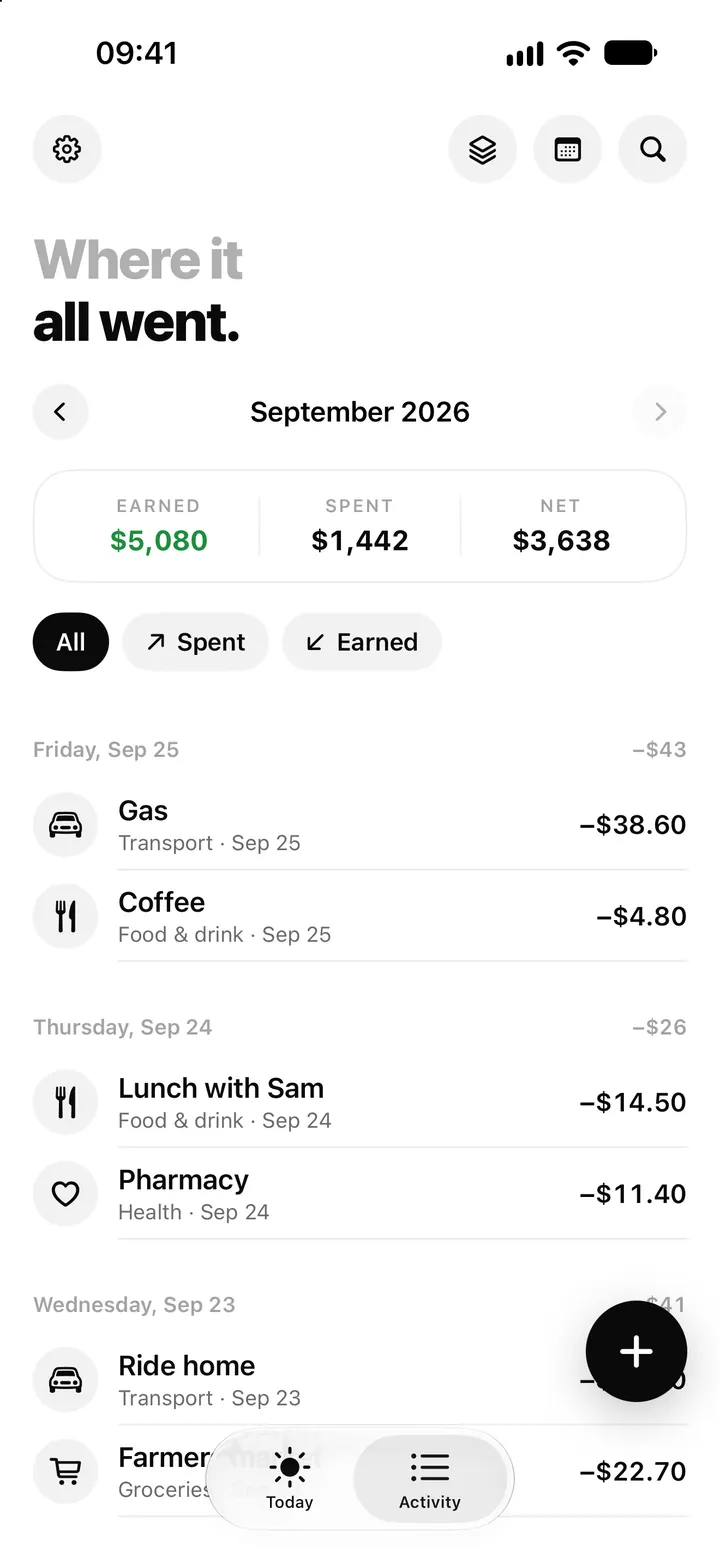
Search in Flowjar: find any entry, jar, bill or money tool in seconds
Flowjar search looks through your notes, categories, amounts, jars, bills and every app feature at once, and History keeps what you opened lately on the iPhone.
ReadHow to Handle a Week of Overspending in Flowjar
Recover from a week over plan in Flowjar by checking data, protecting bills, adjusting jars and reviewing the cause.
Read guide